
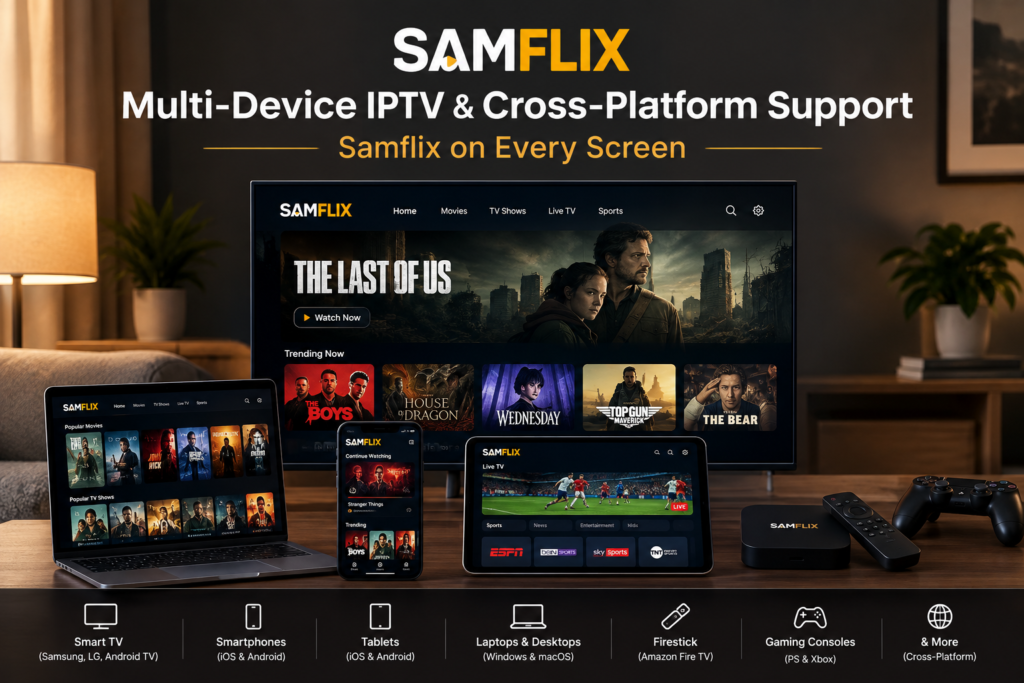
Multi-Device IPTV & Cross-Platform Support: Samflix on Every Screen Universal Compatibility & Anywhere, Anytime
Stream Flawlessly on the Screen You Own.
Multi-device IPTV seems straightforward until you actually try it. The Firestick in the lounge plays fine, the phone app wants a different login format, the old Android box in the bedroom stutters on sports, and nobody in the house can say why. Samflix was built around that exact mess. Your subscription follows you from the living room TV to your phone on the commute to a laptop in a hotel room, with the same 20,000+ live channels and 60,000+ movies and shows on each one.
This page covers which devices work, how the login options differ, how much internet speed a busy household really needs, and where cross-platform IPTV tends to break. No setup theory you won't use. Just what matters when four people want four different channels on a Saturday night.
One Account. Complete
Household Freedom.
Stop paying for extra cable boxes in every room. Our multi-connection plans allow family members to watch live sports, global news, and movies at the same time on different devices without interruptions.
Enjoy native plug-and-play support on leading players like TiviMate, IPTV Smarters Pro, XCIPTV, and iMPlayer. Log in instantly with your unified Xtream Codes credentials or M3U playlist link.
Setup takes less than two minutes on any operating system. Simply enter your credentials, load your channels, and start watching immediately on every screen in your home.
50FPS Fluid Motion
High frame-rate streams keep fast action and sports camera pans sharp, with no dropped frames.
Zero PPV Extra Costs
Boxing aur UFC ke tamam exclusive Pay-Per-View events baghair kisi extra charge ya paywall ke direct include hain.
Anti-Freeze Protection
High-concurrency servers Sunday peak matches ke traffic spikes ko automatically balance karke buffer-free output dete hain.
Multi-League Coverage
Sky Sports, TNT Sports, beIN, DAZN, Optus, aur ESPN ke dedicated international feeds multiple commentary audio ke sath available hain.
Customer Stories

What Does Multi-Device IPTV Actually Mean?
Multi-device IPTV means one subscription gives you the same channel lineup and on-demand library on more than one type of device, using a single set of credentials. You don’t buy one plan for the TV and another for your phone. You log in on each screen and the content is there.
Cross-platform IPTV support is the other half. A service can technically run on “multiple devices” and still only work well on one or two of them. Real cross-platform IPTV support means the live streams, the EPG (electronic program guide) and the VOD catalog behave the same on Android, iOS, Tizen, webOS, Linux-based set-top boxes and desktop systems. That’s harder to get right than most provider pages admit, because every platform handles video decoding, app permissions and playlist formats a little differently.
Connections vs. Devices: The Detail Most Providers Skip
This trips up more subscribers than anything else. A device is anything you install a player on. A connection is an active stream running at a given moment. Samflix counts connections, not installs.
So you can set up the service on the family TV, two phones, a tablet and a work laptop. Five devices. If your plan includes two connections, any two of them can stream at the same time. Start a third and one of the others drops or shows a connection-limit message. Nothing’s broken. You’ve just hit the cap. Households with teenagers usually find that a plan with three or four connections ends the remote-control arguments fast.
Which Devices Does Samflix Support?
Almost anything with a screen and a network connection made in the last several years. Here’s how each platform behaves in practice.
Amazon Firestick and Fire TV
Firestick is the most common device among Samflix subscribers, and it’s easy to see why. It’s cheap, it plugs straight into HDMI, and it runs the Android-based IPTV players that support Xtream Codes login. Newer models like the Fire TV Stick 4K and 4K Max decode HEVC (H.265) video in hardware, which matters for 4K channels. Older non-4K sticks struggle with HEVC. If you see stuttering on 4K content only, that’s almost always the reason.
Smart TVs: Samsung, LG and Android TV
Samsung TVs run Tizen. LG TVs run webOS. Both have IPTV player apps in their official stores, and both accept M3U or Xtream Codes details. Android TV and Google TV sets from Sony, TCL, Hisense and Philips are the easiest of the three, since they install the same player apps as a Firestick. One practical tip here. Smart TV processors are often slower than a $40 streaming stick, so if your TV’s menus feel sluggish, a stick plugged into the HDMI port will usually give you a smoother picture.
Android Phones, Tablets and TV Boxes
Android has the widest choice of IPTV players, from lightweight apps that run on older phones to full-featured players with catch-up, recording and split-screen views. Android TV boxes like the Nvidia Shield and Xiaomi Mi Box handle heavy sports streams well. On phones, switch the player to hardware decoding in its settings. It saves battery and cuts dropped frames.
iPhone, iPad and Apple TV
Apple is stricter about which apps it allows, and IPTV players come and go from the App Store. Several established players remain available on iOS, iPadOS and tvOS, and they all take Xtream Codes or M3U logins. Apple TV 4K is one of the most stable IPTV devices you can buy, mostly because Apple controls both the hardware and the video pipeline.
MAG Boxes and Other Set-Top Devices
MAG boxes from Infomir don’t use a username and password. They connect through a portal URL tied to the box’s MAC address. You send Samflix the MAC address, it gets linked to your subscription, and the box loads your channel list on its next restart. Formuler and other Stalker-compatible boxes work the same way. For older relatives who just want a remote and a channel list, this setup is hard to beat. No apps to update, no passwords to forget.
Windows, macOS and Web Browsers
On a computer, VLC and dedicated desktop IPTV players both work with an M3U link. It’s the quickest way to test your subscription on a new network, and it’s handy on hotel stays where you can’t plug anything into the TV.
Three Ways to Log In: M3U, Xtream Codes API and MAC Portal
Every Samflix subscription comes with login details in all three formats. Which one you use depends on the device, not the plan.
The M3U playlist URL is a single link containing every channel, and nearly every player on every platform can read it. The catch is size. A playlist holding 20,000+ channels takes a while to load on low-memory devices, and it doesn’t organize the VOD library as neatly as the other formats do.
Xtream Codes API login uses a server URL, a username and a password. Players that support it split content into Live TV, Movies and Series on their own, pull the EPG without a separate link, and load faster because they request categories as you open them instead of downloading the whole list upfront. On Firestick, Android and iOS, this is the format to use.
The MAC portal is only for MAG and Stalker-style set-top boxes, covered above.
If one format gives you trouble on a device, try another before assuming something’s wrong with your account. That one step fixes a surprising number of “it’s not working” moments.
How Much Internet Speed Do Multiple Streams Need?
Each active stream pulls its own share of bandwidth, so what you need scales with the number of screens running at once. These are sensible working figures for planning a multi-device IPTV setup:
SD channels need about 3 to 4 Mbps. HD at 720p to 1080p sits between 6 and 10 Mbps, with fast-moving sports at the top of that range. 4K streams need 20 to 25 Mbps.
Now do the household math. Three people watch HD channels and one person watches a 4K match. That’s roughly 3 × 8 Mbps plus 25 Mbps, or about 49 Mbps. Add 30% headroom for phones updating apps, video calls and whatever else is quietly running on the network, and you want an internet connection that reliably delivers 60 to 65 Mbps. Notice the word reliably. An advertised 100 Mbps plan that drops to 40 in the evening will buffer at exactly the moment the match gets interesting.
Setting Up Multi-Device IPTV at Home Without Buffering
A few changes do most of the work. Wire the main TV device to the router with an Ethernet cable if you can. Wi-Fi is fine for phones, but a lounge Firestick three walls away from the router is competing with every other device in the house. If running a cable isn’t practical, move the router or add a mesh node near the TV. That usually helps more than paying for a faster plan.
Put streaming devices on the 5 GHz Wi-Fi band. It’s faster and less crowded than 2.4 GHz, though its range is shorter. And restart your streaming stick once a week. Budget devices leak memory over days of continuous use, and a restart clears it out.
Some internet providers throttle video traffic at peak hours. If buffering only shows up at night while speed tests look normal, a VPN often solves it, because your provider can no longer tell the traffic is video.
Why Cross-Platform IPTV Breaks on Some Services
Most “works on all devices” promises fall apart in one of three places.
Codecs come first. Many providers push HEVC to save bandwidth on 4K and some HD channels. Devices without hardware HEVC decoding either refuse the stream or try to decode it in software, which heats the processor and drops frames. Samflix keeps H.264 versions available alongside H.265 where it makes sense, so older hardware still has something it can play smoothly.
Then there’s the EPG. A program guide that works on your Firestick but shows blank rows on your Smart TV almost always comes down to how the player matches channel IDs to guide data. Switching from a raw M3U plus a separate EPG link to the Xtream Codes login fixes this in most cases, since the player pulls the matched guide straight from the server.
Last is server load, and it’s the one people notice most. A service can support every device on paper and still buffer everywhere at 9 pm on a Saturday because its servers are oversold. For Samflix, that’s the number that gets watched hardest. The platform runs at 99.9% server uptime across more than 15,000 active subscribers, with capacity added ahead of major fixtures rather than after the complaints roll in.
What Syncs Across Your Devices, and What Doesn’t
Here’s something most IPTV pages won’t tell you. Your subscription works everywhere, but your personal settings usually stay behind on each device.
The channel lineup, VOD library and program guide are identical on every screen because they come from Samflix servers. Favorites, watch history, resume points and parental locks are different. The player app stores those locally on each device. Add a channel to favorites on your phone and it won’t show up on the TV unless both run the same player with cloud sync switched on. A handful of players offer this, and they’re worth choosing if you move between screens a lot.
Knowing this upfront saves real frustration. It isn’t a fault in the service. It’s simply how IPTV players are built, and picking the right player for each device solves most of it.
Who Gets the Most Out of Multi-Device IPTV?
Families with split viewing habits are the obvious fit. Cartoons on the tablet, news on the kitchen TV, a Premier League match in the lounge. One plan, enough connections, no fighting over the remote.
Expats and frequent travelers get something different. Samflix carries home-country channels from dozens of regions, and a phone or laptop keeps that access with you in an airport lounge in Dubai or a hotel room in Toronto. The channel list you watch at home is the one you open abroad.
Sports fans probably get the most from a second screen. One match on the TV, another on the tablet beside you, both live, both on the same account.
And if you run a Samflix reseller or sub-reseller panel, cross-platform IPTV support is what keeps your own customers from leaving. Clients who can watch on whatever device they already own raise far fewer support tickets and renew more often.
Multi-Device IPTV FAQs: Frequently Asked Questions
How many devices can I use with one Samflix subscription?
You can install Samflix on as many devices as you like. The limit applies to simultaneous streams, called connections, and your plan sets how many screens can play at the same moment.
Can I watch Samflix on two TVs at the same time?
Yes, as long as your plan includes two or more connections. Each TV uses one connection while it’s streaming.
Which login format should I use on a Firestick?
Use the Xtream Codes API login. It loads faster than an M3U playlist and sorts live TV, movies and series for you automatically.
Does Samflix work on older Smart TVs?
Most Samsung (Tizen) and LG (webOS) models from the last several years can run an IPTV player. If your TV’s app store doesn’t list one, a Firestick or Android TV box plugged into the HDMI port is the simplest fix.
Why does 4K buffer on one device but not on another?
It’s usually a hardware decoding limit. Older streaming sticks can’t decode HEVC 4K efficiently. Try the same channel on a newer device, or switch to the HD version of that channel.
Can I use Samflix while traveling abroad?
Yes. Log in on your phone, tablet or laptop over any stable internet connection and your full channel list comes with you.
Start Streaming on Every Screen You Own
You already own the hardware. The TV, the phone, maybe a Firestick sitting in a drawer. Samflix turns all of it into one connected setup with 20,000+ live channels, 60,000+ movies and shows, and 99.9% uptime behind every stream. Pick a plan with the number of connections your household actually uses, install a player on each screen, and log in once per device. That’s the whole multi-device IPTV setup.
Choose your Samflix plan today and have your first screen streaming in minutes.