
Key Takeaways
- The best IPTV box depends on your budget, streaming habits, and which IPTV apps your provider supports
- Amazon Fire TV Stick 4K Max is the top pick for most users at $45 to $65, with Wi-Fi 6 and 3GB RAM
- Nvidia Shield TV Pro leads on raw performance and 4K upscaling for heavy streamers, but costs over $200
- At least 2GB of RAM is the practical minimum for smooth IPTV use without constant app reloading
- Generic no-brand Android boxes under $30 use outdated chips that struggle with sustained live sports broadcasts
- Wi-Fi 6 handles most IPTV loads fine, but wired ethernet is more reliable for 4K streams and peak-hour viewing
- Hardware decoding of H.265/HEVC is essential for true 4K HDR IPTV — many budget boxes skip it despite claiming 4K support
The best IPTV box isn’t the most expensive device on the shelf. It’s the one that handles your provider’s stream format reliably, runs your preferred IPTV app without crashing, and delivers HD or 4K without the frame drops that underpowered hardware introduces. Hardware choice matters more than most subscribers realize. A great IPTV subscription routed through an underpowered box produces a worse viewing experience than the same subscription on capable hardware.
Here’s how the leading devices compare for IPTV use this year.
Best IPTV Box 2025: Top Devices Side by Side
No single device wins for every use case. The right pick depends on your budget, how often you stream, and whether you prioritize 4K support, app flexibility, or just reliable HD.
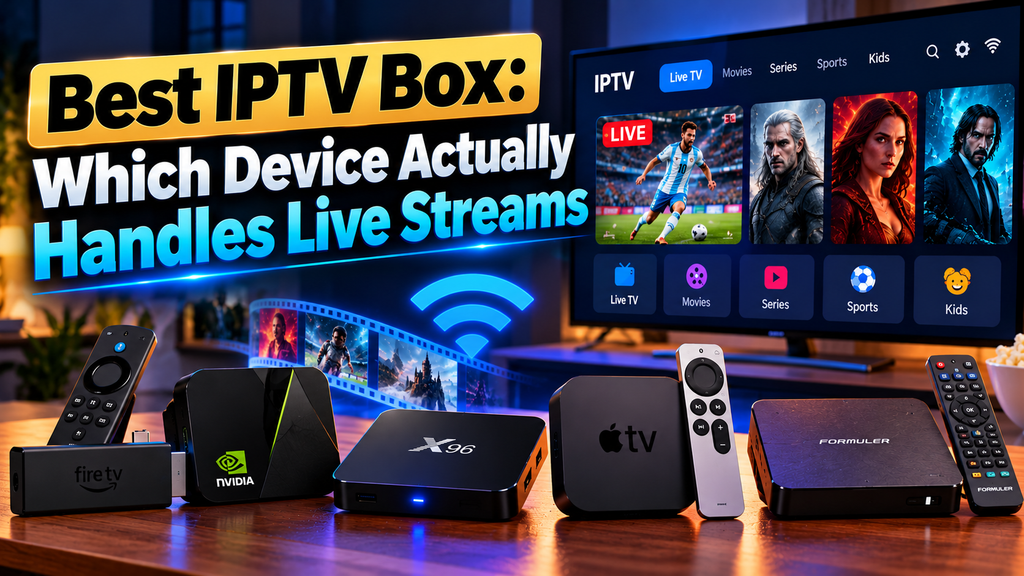
Amazon Fire TV Stick 4K Max
The Fire TV Stick 4K Max is the best IPTV box option for most users who want a balance of price and performance. It runs a quad-core 1.8GHz processor with 3GB of RAM. That’s enough to handle TiviMate and other IPTV apps without the constant reloading that plagued older Fire TV sticks.
Wi-Fi 6 support is a genuine upgrade here. It matters if your router is Wi-Fi 6 compatible and you’re streaming 4K content. Dolby Vision and Dolby Atmos pass-through work with most IPTV providers that offer premium streams.
One real limitation: Amazon’s walled garden restricts some third-party app installs. Sideloading IPTV apps like IPTV Smarters works fine, but it takes a few extra steps compared to Android TV devices.
Price range: $45 to $65. Check current pricing on Amazon.
Nvidia Shield TV Pro
The Shield TV Pro is the best IPTV box for heavy streamers who want the fastest hardware available in a dedicated streaming device. Tegra X1+ processor, 3GB of RAM, and native Android TV with full Google Play access make it the most flexible option for IPTV.
Where it pulls ahead is 4K upscaling. Nvidia’s AI upscaling chip takes HD IPTV streams and renders them at near-4K quality on supported displays. For sports broadcasts that aren’t natively 4K, the difference is visible.
It costs over $200, which is a lot for casual viewers. But for users running IPTV on a main TV daily, the Shield TV Pro justifies the price through long-term reliability and software support. See full specs on Nvidia’s site.
Apple TV 4K (3rd Generation)
The Apple TV 4K runs on the A15 Bionic chip with 4GB of RAM. Processing power is not the problem here. App availability is. TiviMate is Android-only. Most popular IPTV apps aren’t in the App Store. GSE Smart IPTV and IPTV Smarters Pro are available, but they’re not as refined as the Android versions.
If you’re already in the Apple ecosystem and your IPTV provider works with iOS apps, it’s a capable machine. Otherwise, Android TV or Fire OS devices give you more flexibility for running the best IPTV box 2025 apps.
MECOOL KM7 Plus
For Android TV’s flexibility at a lower price than the Shield, the MECOOL KM7 Plus runs Android TV 11 on an Amlogic S905Y4 chip with 2GB of RAM. Google-certified Android TV means full Google Play access and all major IPTV apps without sideloading.
It handles HD IPTV reliably. 4K streams with HDR10 are supported, but expect occasional stuttering if your connection dips below 25 Mbps. At around $50, it’s a solid middle-ground option most casual IPTV users won’t outgrow.
What Actually Matters When Choosing the Best IPTV Box
Processing Power for 4K HDR Streams
Not all 4K is equal. IPTV streams encoded in H.265 (HEVC) require hardware-level decoding to play without stutter. Budget chips that rely on software decoding struggle with HEVC 4K content, even on a fast connection.
Look for confirmed hardware H.265 decoding before buying. The Fire TV Stick 4K Max, Shield TV Pro, and Apple TV 4K all support it natively. Many generic Android boxes do not, despite “4K” printed on the packaging.
RAM and App Stability
Two gigabytes of RAM is the practical minimum for IPTV. With 2GB, apps like TiviMate handle EPG loading and rapid channel switching without crashing. Devices with 1GB of RAM reload apps constantly and struggle with IPTV interfaces that display a large program guide.
Wired vs. Wireless Connection
Wi-Fi 6 on the Fire TV Stick 4K Max handles most IPTV loads without issues if your router is close by. For 4K live sports or if your router is two or more rooms away, wired ethernet is noticeably more stable, especially during peak hours. The Shield TV Pro has built-in ethernet. Other devices work fine with a USB-C to ethernet adapter.
Best IPTV Box: What to Avoid in Budget Hardware
When you’re hunting for the best IPTV box, the biggest traps are the generic no-brand Android boxes under $30. They typically run Amlogic S905W chips from 2017, come with 1 to 2GB of RAM that causes constant app reloading, and stop receiving firmware updates after six months. They may run IPTV apps adequately in a short demo. They fall apart during a three-hour live football match.
Avoid any seller who won’t confirm the processor model or RAM specs on the listing page. Legitimate device pages list these clearly. Vague specs almost always mean underpowered hardware trying to hide it.
Frequently Asked Questions
What is the best IPTV box for 4K streaming?
The Nvidia Shield TV Pro is the strongest option for 4K IPTV. Its Tegra X1+ chip handles hardware decoding for H.265 4K content, and AI upscaling improves HD streams on 4K displays. For a more affordable 4K option, the Amazon Fire TV Stick 4K Max delivers reliable performance for most IPTV setups.
Do I need a special box for IPTV, or can I use my smart TV?
Most modern smart TVs support IPTV apps directly, but availability varies by platform. Samsung Tizen and LG WebOS have fewer IPTV app options than Android TV. A dedicated streaming device gives you more app flexibility, easier updates, and better performance than most built-in smart TV systems.
How much RAM does an IPTV streaming box need?
At least 2GB of RAM is recommended for smooth IPTV use. With 2GB, apps like TiviMate and IPTV Smarters handle EPG loading and rapid channel switching without crashing. Devices with 1GB of RAM tend to reload apps frequently and struggle with program-guide-heavy IPTV interfaces.
Will my IPTV subscription work on any streaming device?
Most IPTV subscriptions provide an M3U playlist URL or Xtream Codes login that works with any compatible IPTV app, regardless of device. The limiting factor is which apps your device supports. Android TV and Fire TV have the widest selection. Apple TV users are limited to the App Store, which covers fewer IPTV apps.
Is a wired connection necessary for IPTV, or does Wi-Fi work?
Wi-Fi works reliably for HD and 4K IPTV if your router is nearby and supports Wi-Fi 5 or Wi-Fi 6. For 4K live sports with high bitrates, a wired ethernet connection reduces buffering risk during peak hours when wireless congestion is higher. The Nvidia Shield TV Pro has a built-in ethernet port. Other devices use USB-C ethernet adapters.
The Right Box for Your Setup
For most people, the best IPTV box is the Amazon Fire TV Stick 4K Max. It’s affordable, handles HD and 4K streams reliably, and supports all major IPTV apps through sideloading. Step up to the Nvidia Shield TV Pro if you want native Android TV, Google Play access, and the best 4K HDR performance available. Avoid anything under $30 from unverified brands, regardless of the specs listed on the product page.
Ready to pair your new box with a premium IPTV service? Explore Samflix IPTV plans and get started today.
One Response